
Realistic Minecraft Texture Packs (2026): Best HD Resource Packs for Java & Bedrock
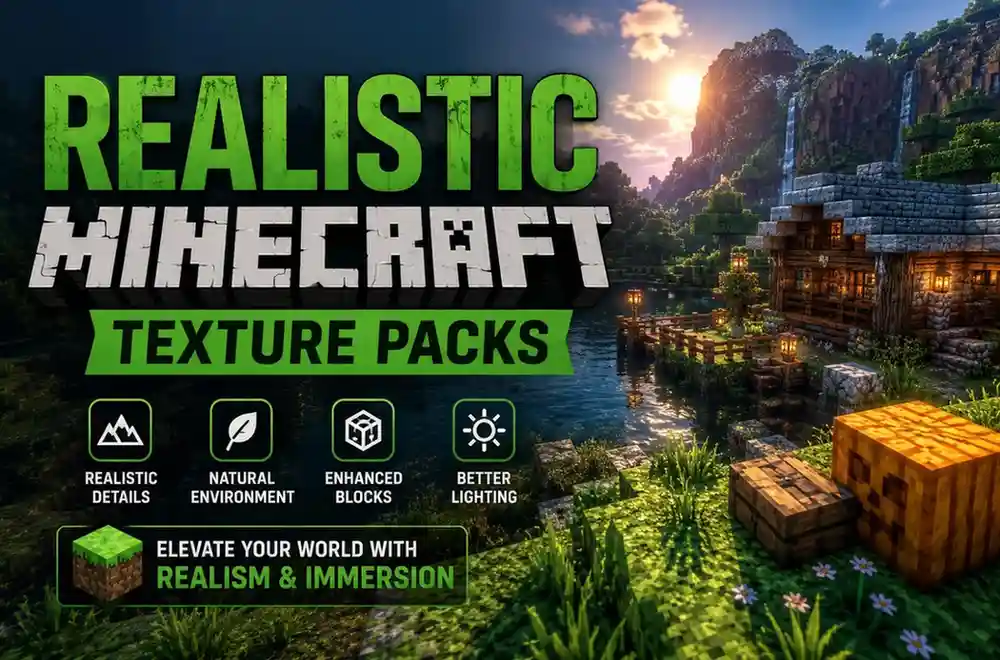
If you’ve ever wanted Minecraft to look less blocky and more lifelike, realistic texture packs are the easiest way to transform your world. They replace the game’s default textures with high-resolution artwork, creating sharper blocks, detailed environments, improved lighting, and more immersive landscapes without changing core gameplay.
Whether you’re building modern cities, exploring survival worlds, or recording cinematic gameplay, the right resource pack can dramatically improve the visual experience. Some packs focus on photorealism, while others keep Minecraft’s familiar style but add cleaner textures and richer details.
In this guide, we’ve selected the best realistic Minecraft texture packs based on visual quality, performance, compatibility, update frequency, and overall user experience. You’ll also learn which packs work best for Java Edition, Bedrock Edition, RTX setups, and lower-end PCs.
Quick Comparison
| Texture Pack | Best For | Resolution | Java | Bedrock | Performance |
|---|---|---|---|---|---|
| Patrix | Ultra Realism | 128x–256x | ✅ | ❌ | High-End PC |
| ModernArch | RTX Graphics | 256x–1024x | ✅ | ❌ | High-End PC |
| Clarity | Everyday Survival | 32x | ✅ | ✅ | Excellent |
| Alacrity | Fantasy Builds | 32x | ✅ | ❌ | Good |
| LB Photo Realism Reload | Classic Realism | 128x | ✅ | ❌ | Moderate |
| Epic Adventures | Cinematic Worlds | 32x | ✅ | ❌ | Excellent |
What Makes a Texture Pack Realistic?
Not every Minecraft HD resource pack is truly realistic. The best realistic texture packs improve Minecraft’s appearance while keeping the game enjoyable to play.
Most high-quality realistic packs include:
- High-resolution block textures
- Natural-looking wood, stone, and terrain
- Improved water and sky textures
- Better vegetation and foliage
- Detailed ores and building materials
- Enhanced lighting when paired with shaders
- PBR (Physically Based Rendering) support on compatible packs
Higher resolutions such as 128x, 256x, or 512x generally deliver more detail but also require stronger hardware.
Best Realistic Minecraft Texture Packs
1. Patrix Resource Pack — Best Overall
Patrix is one of the most detailed realistic resource packs available for Minecraft Java Edition. Every block is redesigned with sharp textures, realistic materials, and consistent artwork while preserving Minecraft’s familiar world layout.
It works especially well with modern shaders, making forests, mountains, villages, and caves look significantly more immersive.
Best for
- High-end gaming PCs
- Realistic survival worlds
- Builders
- Cinematic screenshots
Pros
- Outstanding visual quality
- Frequent updates
- Excellent shader compatibility
Cons
- Requires powerful hardware
- Java Edition only
2. ModernArch — Best RTX Experience
ModernArch focuses on physically based rendering (PBR) textures that pair beautifully with ray tracing. Glass, metals, wood, and stone all respond naturally to light, creating one of the most realistic Minecraft experiences available.
If you have an RTX-capable system, ModernArch delivers impressive visual depth.
3. Clarity — Best Balanced Choice
Clarity improves Minecraft’s textures without making the game look completely different. It’s an excellent option for players who want cleaner visuals while maintaining strong performance across longer gameplay sessions.
It also offers compatibility for both Java and Bedrock editions, making it a practical recommendation for many players.
4. LB Photo Realism Reload
LB Photo Realism Reload has been a favorite in the Minecraft community for years. It replaces default textures with highly detailed alternatives while keeping worlds recognizable.
This pack is ideal for players who enjoy realistic architecture and scenic exploration.
5. Epic Adventures
Epic Adventures blends realism with Minecraft’s original artistic style. Instead of chasing maximum detail, it focuses on richer environments, improved colors, and immersive landscapes while maintaining excellent performance.
For many players, it offers one of the best balances between quality and FPS.
Java vs Bedrock Compatibility
Most premium realistic texture packs are designed for Minecraft Java Edition, where the community has greater flexibility to create advanced resource packs.
Bedrock Edition supports many quality texture packs as well, but compatibility varies depending on the platform. Before downloading, always confirm that the resource pack supports your version of Minecraft and your device.
Which Resolution Should You Choose?
- 32x – Best balance of quality and performance
- 64x – Sharper textures for mid-range systems
- 128x – High-detail visuals for powerful PCs
- 256x+ – Maximum realism with higher hardware requirements
If you’re using an older computer, a lower-resolution pack generally provides a smoother experience without sacrificing visual improvements.
Frequently Asked Questions
Are realistic texture packs free?
Many realistic texture packs are free, while some creators offer premium editions with higher resolutions, additional textures, or exclusive updates.
Do realistic texture packs work with shaders?
Yes. Many realistic packs are specifically designed to work alongside popular shader packs, creating more natural lighting, reflections, and shadows.
Can I use realistic texture packs on Bedrock Edition?
Some texture packs support Bedrock Edition, but many advanced packs are available only for Java Edition. Always check compatibility before downloading.
Will realistic texture packs reduce FPS?
Higher-resolution packs generally require more graphics memory and processing power. If performance is a concern, choose a 32x or 64x pack instead of 256x or higher.
Conclusion
Realistic Minecraft texture packs offer one of the easiest ways to enhance the game’s visuals, whether you’re building detailed cities, exploring survival worlds, or creating cinematic content. Players with powerful PCs can enjoy ultra-HD packs like Patrix or ModernArch, while balanced options such as Clarity and Epic Adventures deliver impressive improvements without demanding high-end hardware.
If you’re still deciding, start with a balanced pack that matches your system and Minecraft edition. You can always explore more specialized options as your preferences evolve.