
Minecraft Java Edition
The ultimate Minecraft edition for PC power users. Master infinite modding with Fabric and Forge, unlock 200+ FPS with Sodium, install realistic shaders, and conquer massive community servers.
💻 Minecraft Java Edition PC Specifications
Check the hardware and Java runtime requirements to ensure smooth, lag-free gameplay on Windows, macOS, or Linux:
Download Minecraft Java Edition Launcher
Download the official standalone PC installer for Windows 10/11, macOS, and Linux. Built-in OpenJDK runtime bundled automatically.
⬇️ Download Java PC Launcher (.exe)
How to Double Your FPS with Fabric + Sodium (200+ FPS Setup)
Default Minecraft Java can struggle even on powerful laptops. The modern optimization secret used by pros is Sodium, a free rendering engine replacement that triples your frame rates without changing gameplay mechanics:
Install Fabric Loader
Download the lightweight Fabric Installer from fabricmc.net and choose Minecraft version 1.21.
Add Sodium Mod
Download the Sodium.jar and Fabric-API.jar files from Modrinth or CurseForge.
Drop in Mods Folder
Press Win + R, type %appdata%/.minecraft/mods, and paste your downloaded .jar files there.
Launch & Enjoy
Select the Fabric Loader profile in your Minecraft Launcher and experience silky-smooth 144+ FPS!
How to Allocate More RAM to Minecraft Java Edition
By default, the launcher only allocates 2 GB of RAM. If you want to use HD texture packs, shaders, or 50+ mods, increase your RAM allocation in 3 quick clicks:
- Open the Minecraft Launcher and click the Installations tab at the top.
- Hover over your release profile, click the Three Dots (…) > Edit.
- Click More Options at the bottom.
- In the JVM Arguments field, change
-Xmx2Gto-Xmx4G(for 4 GB RAM) or-Xmx8G(for 8 GB RAM). - Click Save and launch the game. Press F3 in-game to verify your increased memory pool in the top right corner!
Installing Cinematic Shaders with Iris Shaders
Want water reflections, realistic sun rays, and waving leaves? The best way to use shaders in modern Java Edition is with Iris Shaders (which works together with Sodium for high FPS):
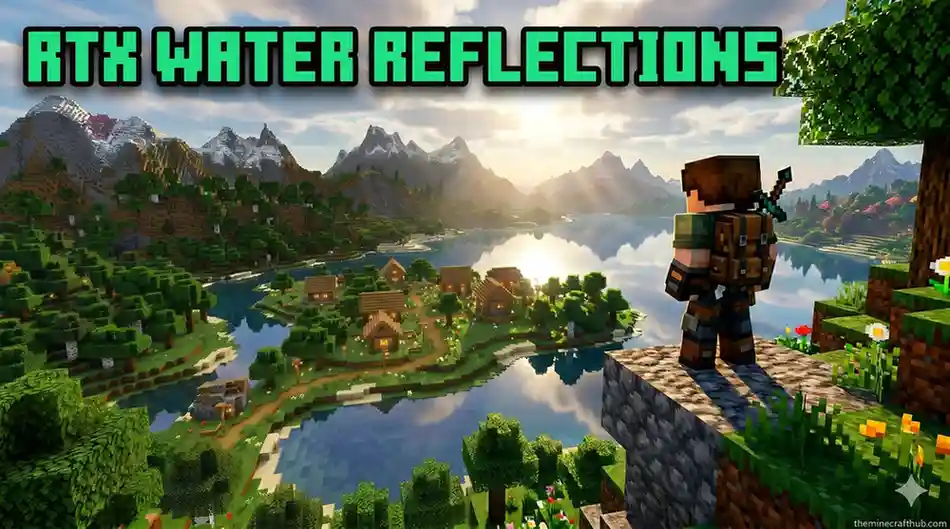
Recommended shader packs for Java 1.21:
- Complementary Reimagined: Gorgeous atmospheric lighting, glowing ores, and custom water with great FPS.
- BSL Shaders: Warm cinematic colors, realistic depth of field, and customizable cloud styles.
- MakeUp – Ultra Fast: Best lightweight shader pack designed specifically for budget laptops and older GPUs.
🛠️ Java Crash & Repair Center (Exit Code Fixes)
💥 “Exit Code: 1”
The game crashed during startup due to conflicting mod files or outdated mod loaders.
.minecraft/mods one by one to find the conflicting file, or update Fabric/Forge to the latest build.🧠 “Java Heap Space / OutOfMemory”
The game ran out of allocated memory while loading heavy chunks or high-res textures.
-Xmx2G to -Xmx4G or -Xmx6G in Launcher Settings.⚙️ “OpenGL: 65542 Driver Error”
Your graphics card driver lacks required OpenGL support.
☕ “Incompatible Java Runtime”
Minecraft 1.21 requires Java 21+, but an older version (Java 8 or 17) is being called.
Frequently Asked Questions About Minecraft Java Edition
Can Java Edition play with Minecraft on phone or console?
Standard Java servers only support PC players. However, servers running the GeyserMC plugin allow Bedrock and mobile players to join seamlessly.
Which is better for modding: Forge or Fabric?
For pure performance, quick updates, and shaders, Fabric is the current favorite. For large complex technology and magic modpacks, Forge and NeoForge remain the industry standard.
Do I need to install Java separately on Windows 11?
No! The modern official Minecraft Launcher automatically includes and manages the correct OpenJDK 21 runtime in the background.
Can I run Minecraft Java on a low-end laptop?
Yes! With the Sodium + Lithium + FerriteCore mod combination, Minecraft Java can run smoothly at 60+ FPS even on older Intel integrated graphics.
What is the F3 debug screen used for?
Pressing F3 displays your exact XYZ world coordinates, current biome, facing direction, FPS counter, and GPU/RAM usage in real time.
Are Minecraft Java mods free?
Yes! 100% of community mods on trusted repositories like Modrinth and CurseForge are completely free to download and use.
Can I play Minecraft Java on Android via PojavLauncher?
Yes! PojavLauncher is a popular open-source emulator that allows Android phones to execute Java Edition, though touch controls require some practice.
How do I backup my single-player worlds on PC?
Press Win + R, type %appdata%/.minecraft/saves, and copy your world folders to a backup drive or cloud folder.
Why does Bedrock feel smoother than Java by default?
Bedrock is written in native C++ while Java runs in a virtual machine. Installing performance mods like Sodium brings Java up to Bedrock’s rendering speed.
Does Java Edition support custom multiplayer skins?
Yes! You can upload any custom 64×64 PNG skin file directly to your Minecraft profile on minecraft.net or through the launcher for free.