
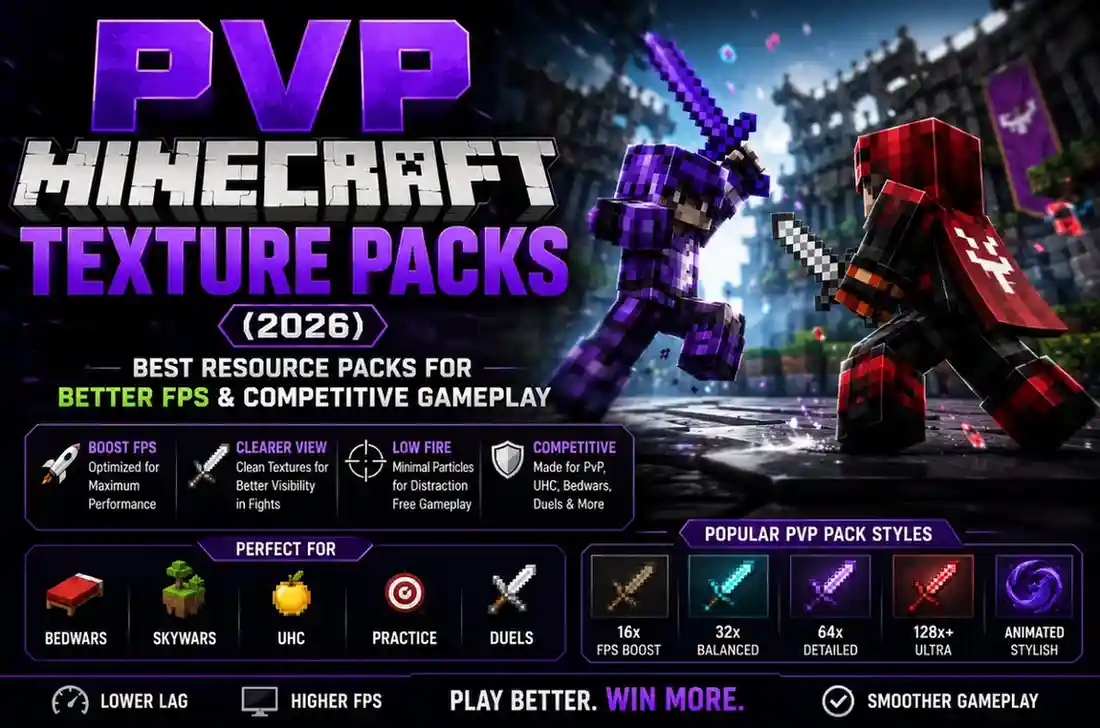
⚡ Quick Comparison: The Top PvP Texture Packs
| Pack Name | Resolution | Best Mode | FPS Boost | Edition |
|---|---|---|---|---|
| 1. Tightfault Revamp | 16x | Bedwars & Duels | ⭐⭐⭐⭐⭐ (Max) | Java & Bedrock/PE |
| 2. TimeDeo 2K Revamp | 16x | Skywars & UHC | ⭐⭐⭐⭐⭐ (Max) | Java & Bedrock/PE |
| 3. SammyGreen 16x (Faultless) | 16x | Bedwars Solo/Doubles | ⭐⭐⭐⭐⭐ (Max) | Java & Bedrock/PE |
| 4. Bombies 18k / Solrflare | 16x | Fast Bridging & Combos | ⭐⭐⭐⭐⭐ (Max) | Java & Bedrock/PE |
| 5. Chroma 32x PvP | 32x | Ranked Duels & Aesthetics | ⭐⭐⭐⭐☆ (High) | Java & Bedrock |
| 6. War v2 (Dynamic Duo) | 16x | Crystal PvP & PotPvP | ⭐⭐⭐⭐⭐ (Max) | Java & Bedrock/PE |
| 7. Nebula 32x | 32x | Custom Skyboxes & Bows | ⭐⭐⭐⭐☆ (High) | Java & Bedrock |
🎯 The 4 Major Advantages of Using a PvP Texture Pack
Vanilla swords take up 40% of the right side of your screen. Short swords shrink the item model, letting you track opponents during jump-reset combos.
When ignited by Fire Aspect or lava, vanilla fire blinds your entire screen. Low fire reduces flame height to a small footer bar so you can fight while burning.
Chest and inventory backgrounds are translucent, allowing you to see enemies approaching while you loot mid-game.
By keeping block textures clean and lightweight, your graphics card renders combat frames instantly with zero stutter or input delay.
🏆 In-Depth Review of the 7 Best PvP Resource Packs
1. Tightfault Revamp 16x
The Bedwars Standard
Created by Tight and remastered for modern versions, Tightfault combines the iconic Faithful block design with ultra-clean short diamond swords, minimal particles, and customized color-coded wool blocks for lightning-fast bed defense building.
✅ Low Fire
✅ Clear Glass & Wool
✅ Java & Bedrock .mcpack
2. TimeDeo 2K Revamp 16x
The Skywars Legend
Used by thousands of Hypixel leaderboard champions. Features ultra-smooth animated ender pearls, distinct golden apple highlights, clean bow pullback indicators with color charges, and custom starry night skies.
✅ Custom Starry Sky
✅ Instant Rod Cast Line
3. SammyGreen 16x (Faultless)
Best Colors & Aesthetics
Designed specifically for popular YouTuber SammyGreen, Faultless features vibrant, saturated block colors that make tracking enemy armor sets easier in dark maps. The sword blades have sleek neon edges that pop in high-speed duels.
✅ High-Contrast Armor
✅ Zero FPS Drop
4. Bombies 18k / Solrflare 16x
Godbridging & Combo King
If you love moonwalking, godbridging, or breezily bridging in Bedwars, Solrflare features distinct block outlines that make timing your right-clicks effortless. Combined with crisp hit sound effects, your combo timing will immediately improve.
✅ Crisp Hit Sounds
✅ Minimalist Crosshair
5. Chroma 32x PvP
Animated Rainbow Elements
For players who want top-tier performance without sacrificing beauty. Chroma 32x adds smooth RGB rainbow animations to diamond swords, enchanted books, and potion hearts, giving your gameplay a premium pro-streamer look.
✅ Glowing Ores
✅ 32x Crisp Resolution
6. War v2 (Dynamic Duo) 16x
Crystal & UHC Champion
Engineered for hardcore UHC and Crystal PvP modes. Features highlighted golden apples, distinct potion color liquid vials, low explosion smoke particles, and clean obsidian borders so you never misplace end crystals.
✅ Reduced Explosion Smoke
✅ Color Coded Potions
7. Nebula 32x
Deep Space & Custom Skies
Nebula pairs an ultra-clean PvP sword set with breathtaking galaxy and nebula night skies (when OptiFine or Custom Sky mod is enabled). It remains one of the most downloaded community packs of all time.
✅ Smooth Dagger Models
✅ Custom Font UI
⚙️ How to Install PvP Texture Packs (PC & Mobile)
Download Pack
Download the .zip file for PC Java or .mcpack for Android/iOS Bedrock.
Import File
On Java, paste into .minecraft/resourcepacks. On Mobile, simply tap the .mcpack file.
Activate & Move Top
In Resource Packs settings, move the PvP pack to the very top of the list.
Frequently Asked Questions About PvP Texture Packs
Are PvP texture packs allowed on competitive servers like Hypixel?
Yes, 100%! All major servers including Hypixel, Cubecraft, and Hive allow PvP resource packs because they only alter your client-side visual display without giving unfair automated advantages.
Do PvP texture packs increase FPS on low-end laptops and phones?
Yes! Because 16x PvP packs strip away noisy visual particles, complex block shaders, and heavy models, they regularly increase frame rates by 30% to 50% during intense team fights.
What does 16x vs 32x mean for PvP?
16x means each block is made of 16×16 pixels (vanilla size, fastest FPS). 32x has twice the detail, offering smoother curves on sword blades while still maintaining excellent frame rates.
Why do PvP packs have short swords?
Standard Minecraft swords block the bottom right quarter of your view when walking or swinging. Short swords keep the blade compact, giving you full visibility of your enemy’s feet and movement.
How does Low Fire work?
Low fire changes the flame texture displayed on your screen when you take fire damage. Instead of covering the entire center of your display, it shrinks flames to the bottom edge so you can keep fighting.
Can I use a 1.8.9 PvP pack on Minecraft 1.21?
Yes! Minecraft will show a red warning saying the pack was made for an older version, but if you click “Yes” to load anyway, swords, armor, wool, and crosshairs will load normally.
Can I change the crosshair to a dot or small plus?
Yes! Most PvP packs include custom dot or precision crosshairs. You can also customize your own crosshair by editing the icons.png file inside the pack.
Can I combine a PvP pack with an FPS booster like Sodium?
Yes! Combining a 16x PvP texture pack with Sodium and Iris delivers the ultimate competitive setup, often surpassing 300+ FPS on mid-range gaming PCs.